The Leonardo AI Image Generator has become one of the most talked-about tools in the AI art space, and it is easy to see why. People want faster ways to create visuals for blogs, ads, social media, design mockups, thumbnails, product concepts, and creative projects. Leonardo positions itself as a generative AI platform for images, art, and video, with a focus on speed, polish, and control for creators and teams.
For users in the US, UK, and global markets, that matters. Content demands are growing everywhere. Bloggers need featured images. marketers need campaign assets. Designers want rapid concept generation. Small businesses want polished visuals without building everything from scratch. The Leonardo AI Image Generator fits into that need by offering text-to-image creation, image-guided workflows, editing tools, and a free starting point for users who want to test the platform before paying.
What makes Leonardo stand out is that it is not just a basic prompt box. Its official materials highlight broader creative workflows, including Realtime Canvas, image guidance, canvas inpainting, transparency support, and API access for developers. That makes it useful for both beginners and more advanced users who want stronger control over outputs.
In this guide, you will learn what Leonardo is, how it works, why creators use it, what features matter most, and how to get better results from your prompts.
What Is Leonardo AI Image Generator?
The Leonardo AI Image Generator is Leonardo’s text-to-image tool for creating AI-generated visuals from written prompts. According to Leonardo’s official site, users can try the AI image generator for free, while paid plans offer more advanced features, higher resolution, and additional creator tools.
In simple terms, you type an idea such as “modern gaming room with neon lights” or “cinematic mountain landscape at sunrise,” and the system generates images based on that prompt. Depending on the workflow you choose, you can also refine outputs with image guidance, edit parts of an image using inpainting, or work interactively with Realtime Canvas.
That flexibility is one reason the platform appeals to such a wide range of users. A beginner may only want to type a prompt and get a quick result. A designer may want more control over composition, references, and edits. Leonardo supports both styles of use through its broader creative suite.
Why Leonardo AI Image Generator Is Popular
There are many AI image tools online, but not all of them are built for the same audience. Some are very simple. Others are highly technical. Leonardo’s official positioning leans toward creators and teams who want quality, consistency, and flexible workflows.
That matters because people are no longer using AI image tools only for fun. Today, users often need them for real work. They want visuals for articles, landing pages, advertisements, product ideas, storyboards, game assets, brand content, or client presentations. Leonardo’s platform language reflects those practical use cases by emphasizing campaign scaling, content production, and creative control.
Another reason for its popularity is access. Leonardo says users can try image generation for free. That lowers the barrier for beginners and gives creators a way to test the platform without committing immediately.
Main Features of Leonardo AI Image Generator
The Leonardo AI Image Generator is more than a single feature. Leonardo’s official pages and docs show a wider toolkit around image creation.
Text-to-image generation
This is the core function. You enter a written prompt and generate AI images based on your idea. Leonardo promotes this as a way to prototype faster, scale content production, and explore creative directions more efficiently.
Free tier access
Leonardo states that users can try the AI image generator for free, with paid plans unlocking advanced features and higher resolution.
Realtime Canvas
Leonardo’s docs include a workflow for generating images in Realtime Canvas using Latent Consistency Models. This is useful for people who want a more interactive creation process rather than waiting for standard generations each time.
Image guidance
Leonardo also supports image guidance workflows, including uploaded or generated images as references, plus ControlNet and finer appearance adjustments. This is helpful when you want the final output to follow a reference image more closely.
Canvas inpainting
Inpainting lets users refine specific parts of an image instead of regenerating the whole thing. Leonardo’s documentation includes this workflow as part of its image editing capabilities.
API access
For developers and advanced teams, Leonardo also offers API access covering text-to-image, image-to-image, image-to-video, and editing workflows. That makes the platform more than a casual generator. It can also fit into production systems and content pipelines.
How Leonardo AI Image Generator Works
The basic workflow is simple. You type a prompt, choose settings if needed, and generate images. If you want more control, you can bring in references, use inpainting, or edit in a more visual way through Realtime Canvas.
The quality of the result depends heavily on your prompt. A vague prompt often creates a vague image. A clearer prompt usually produces a more useful result.
For example, this prompt is weak:
“a house”
This prompt is stronger:
“modern glass house in a forest, soft morning light, realistic style, cinematic composition, high detail”
The second prompt gives the model more context about subject, setting, lighting, style, and quality. That usually improves the output.
This is true across most AI image tools, but it matters even more on platforms like Leonardo that are designed for more polished creative workflows. Leonardo’s own positioning around professional-grade outputs and consistency supports that idea.
Is Leonardo AI Image Generator Good for Beginners?
Yes, but with an important detail. Leonardo can be beginner-friendly because it offers a free entry point and straightforward image generation. At the same time, it also includes more advanced tools, so beginners may notice there is more depth here than in very basic AI art apps.
That is not a bad thing. In fact, it can be an advantage. A beginner can start with simple prompts today and later move into guided images, inpainting, and more refined workflows without leaving the platform.
This makes Leonardo a practical option for users who want room to grow. You do not have to learn everything at once. You can begin with simple text-to-image generation, then gradually explore editing features as your needs become more advanced. That progression is supported by Leonardo’s docs and help resources.
Best Uses for Leonardo AI Image Generator
The Leonardo AI Image Generator can be useful in many situations.
Bloggers can create article headers, featured images, and custom illustrations that feel more original than generic stock photos. Marketers can develop ad concepts, campaign artwork, social graphics, and promotional visuals faster. Designers can explore styles, mockups, and concept directions before committing to final production work. Developers and product teams can even integrate Leonardo into workflows through the API.
It is also useful for creators who want consistency. One reason Leonardo stands out in its own messaging is the focus on quality and flexibility. That makes it helpful when you want multiple images that feel like part of the same visual system rather than random one-off outputs.
Commercial Use and Licensing
This is one area where users should pay close attention. Leonardo’s pricing page says that while Leonardo owns rights to the images users create, users are granted a non-exclusive, royalty-free license to use generated content for commercial purposes. Leonardo’s help center also says users can use generated images commercially, subject to its Terms of Service.
There is also an important caveat for free users. Leonardo’s own commercial-use article says that free users are granted a license for commercial use, but those creations are public and, as between the user and Leonardo, owned by Leonardo. The article notes that another person could potentially use the same design.
That means commercial use is possible, but users should still review the latest official terms carefully before using outputs in client work, products, or brand assets. Leonardo’s Terms of Service were last updated on January 19, 2026, so checking the current wording matters.
How to Write Better Prompts for Leonardo
Prompting is where good results begin. A clear structure usually works better than random keywords.
A simple formula is:
subject + setting + style + lighting + detail
Examples:
“luxury skincare bottle on marble table, studio lighting, realistic product photography, soft shadows, premium aesthetic”
“fantasy castle above the clouds, golden sunset, cinematic fantasy art, detailed sky, epic composition”
“minimal home office desk setup, warm natural light, modern realistic interior, clean design, high detail”
This kind of wording gives the generator more useful direction. Leonardo’s focus on quality, consistency, and creative control makes prompt clarity especially valuable on the platform.
Common Mistakes to Avoid
One mistake is writing prompts that are too vague. Another is adding too many conflicting styles in the same request. If you ask for realistic photography, anime, watercolor, and 3D render all in one short prompt, the result can become messy.
Another mistake is skipping refinement tools. Leonardo offers workflows like image guidance and inpainting for a reason. If the first output is close but not perfect, you may get a better result by refining rather than restarting completely.
It is also important not to assume every generated image is instantly ready for publishing. Always inspect the output carefully. Hands, text, facial details, and fine objects can still need review or correction, even on stronger platforms.
Leonardo AI Image Generator for Bloggers and Website Owners
For bloggers and site owners, the Leonardo AI Image Generator can be a strong visual support tool. Original-looking images can make posts more attractive, help brand consistency, and reduce reliance on overused stock photos.
This is especially helpful for websites targeting audiences in the US, UK, and globally. Competitive niches often need better visuals to stand out. A well-made AI image can improve perceived quality when it matches the article naturally and looks polished.
Still, relevance matters more than flashy design. The best image is not always the most dramatic one. It is the one that fits the article, looks clean, and helps the page feel trustworthy. For monetized websites, that kind of thoughtful visual use is usually more valuable than random, overly stylized artwork.
Leonardo Free vs Paid Plans
Leonardo offers a free tier, but paid plans unlock faster generation and advanced features. Leonardo’s pricing page also frames its plans around individual, team, and API usage.
A recent Leonardo comparison article on its own site says the free plan includes daily fast tokens and basic quality controls, while higher plans add more tokens, private generation, upscaling, and personal model training. Because plan details can change, it is best to verify exact pricing and feature limits on Leonardo’s current pricing page before publishing evergreen content about plan numbers.
Final Thoughts
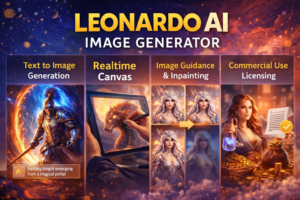
The Leonardo AI Image Generator is a strong option for creators who want more than a simple AI art toy. Leonardo officially offers free access to try image generation, plus a wider creative toolkit that includes Realtime Canvas, image guidance, inpainting, API support, and commercial-use licensing language.
For beginners, it provides a practical place to start. For designers, marketers, and businesses, it offers more control than many lightweight tools. And for content creators, it can speed up visual production while still leaving room for refinement and brand direction.
The key is to use it thoughtfully. Write stronger prompts. Review outputs carefully. Check current licensing terms. And treat AI generation as a creative assistant, not a full replacement for judgment and editing.
Used that way, the Leonardo AI Image Generator can be a valuable part of a modern content workflow.
FAQs
What is Leonardo AI Image Generator?
Leonardo AI Image Generator is Leonardo’s official AI image creation tool that lets users generate visuals from text prompts, with additional workflows like Realtime Canvas, image guidance, and inpainting.
Is Leonardo AI Image Generator free?
Yes. Leonardo says users can try its AI image generator for free, while paid plans provide faster generation and more advanced features.
Can I use Leonardo AI images commercially?
Leonardo’s pricing page and help center say users are granted commercial-use licensing, but the exact rights and caveats depend on the Terms of Service and account tier.
Does Leonardo offer image editing tools?
Yes. Leonardo documents features like image guidance, Realtime Canvas, and canvas inpainting for refining images.
Is Leonardo good for beginners?
Yes. It offers a free starting point and simple prompt-based generation, but it also includes more advanced tools that users can grow into over time.
Does Leonardo have an API?
Yes. Leonardo offers an API for text-to-image, image-to-image, image-to-video, and editing workflows.